
In my work, I believe in using the right tool for the right job. While one modern camera might technically handle most shoots, I’ve found that a diverse set of tools allows me to optimize quality, style, and efficiency in editing. For complex shoots, I rely on a multi-camera setup, using a mix of both modern and vintage equipment to capture footage simultaneously from multiple angles and perspectives.
Typically, I’ll use a pair of Panasonic Lumix cameras alongside a pair of Xiaomi Mi 10Ts. Mounted together, the 10Ts are positioned on top of the Lumix rigs, allowing me to capture two 4K sources and two 8K sources all at once. This setup provides a mix of ultra-high-resolution and cinematic shots, giving me flexibility and detail for post-production editing. In cases where a nostalgic look is needed, I incorporate CCD-based cameras to add warmth and a vintage feel to the project.
For high-paced action shots or scenes that involve a lot of motion, I adjust the setup accordingly. In these scenarios, I might opt for the Lumix on the SmallRig mount, the 10T on the DJI Osmo Mobile 3, or the Sony HXR-MC2000E. While the MC2000E is only 1080p, its exceptionally fast focus response makes it perfect for capturing fast-paced action with clarity. Later, I can upscale the footage as needed, knowing it will hold up well.
For simpler videos, I streamline the setup, often using just one Lumix or a Lumix paired with a 10T. This minimizes the complexity in both shooting and editing while still delivering high-quality results. By carefully choosing the right equipment for each project, I’m able to capture each scene efficiently and reduce the amount of work needed in post-production.
This approach allows me to produce versatile, multi-layered videos that are rich in detail and style, tailored to meet the unique demands of each project.
8K Resolution
8K resolution is the pinnacle of video quality, capturing details at a level unmatched by lower resolutions. This is ideal for large-screen displays, commercial-grade projects, and future-proofing content for evolving screen standards.
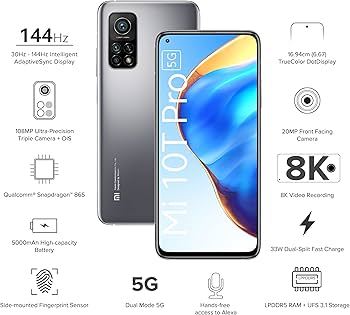
Xiaomi Mi 10T Pro
- Resolution: 8K (7680 x 4320) at 30fps
- Camera Sensor: 108MP primary sensor
- Aperture: f/1.7
- Battery: 5000mAh with 33W fast charging
- Key Features: Dual-video mode, Ultra Night Video, AI-enhanced imaging, HDR10 display for video preview.
Why I Use It: The Xiaomi Mi 10T Pro’s 8K capabilities and 108MP sensor make it my go-to device for capturing high-resolution footage in compact, mobile scenarios. I often use it for travel shoots or situations where I need to move quickly without sacrificing quality. The AI video features provide a layer of smart enhancement, allowing me to achieve rich color and contrast without extensive post-production. Its Ultra Night Video mode is particularly useful for low-light environments, capturing more detail than many other cameras in challenging lighting.
How It Benefits My Work: With the Mi 10T Pro, I’m able to shoot 8K footage that holds up on large screens or when cropped significantly. This allows me to experiment creatively with framing and composition, knowing I have the resolution to back it up. The device’s compact form factor is a huge advantage when I need to shoot discreetly or travel light, making it perfect for event coverage and documentary-style work.
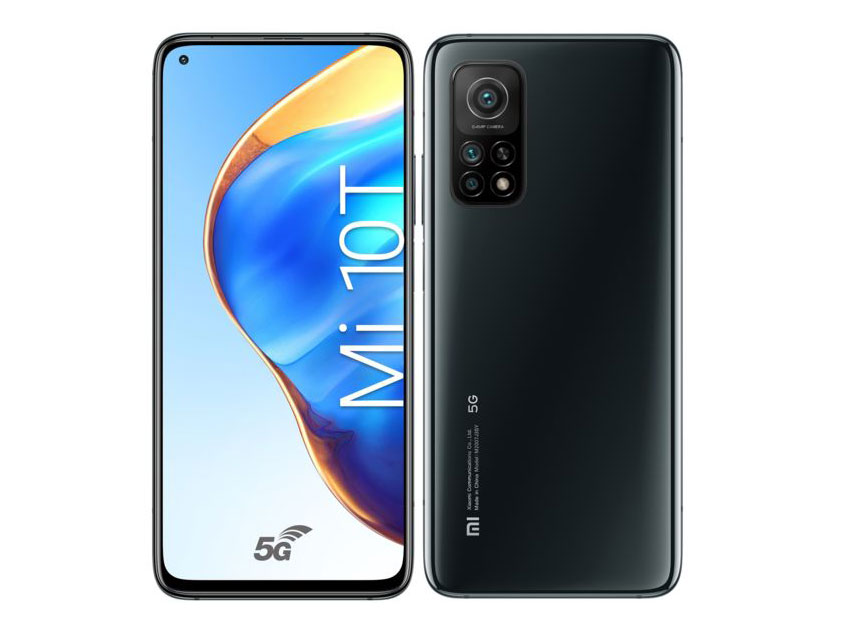
Xiaomi Mi 10T
- Resolution: 8K (7680 x 4320) at 30fps
- Camera Sensor: 64MP primary sensor
- Aperture: f/1.9
- Battery: 5000mAh with 33W fast charging
- Key Features: AI video enhancement tools, HDR10 display, fast processing for smooth recording.
Why I Use It: The Mi 10T is a versatile 8K device that provides solid video quality with a more streamlined setup. While it lacks the 108MP sensor of the Pro model, the 64MP still delivers excellent detail, allowing me to capture immersive footage without the complexity of a professional camera rig. It’s ideal for spontaneous shooting and scenarios where I need high-quality footage on short notice, such as behind-the-scenes shots or supplementary B-roll.
How It Benefits My Work: The Mi 10T’s 8K resolution allows me to integrate detailed, high-quality footage into my projects, adding a layer of professionalism and flexibility. Whether I’m shooting content for digital platforms or large-format displays, this device provides a powerful tool for capturing clarity and depth. Its portability and simplicity make it a practical choice for quick, on-location shoots.
4K Resolution
4K resolution is the industry standard for most professional videography today, offering incredible detail and sharpness that allows for flexibility in editing. It’s suitable for everything from corporate videos and commercials to creative projects and digital content creation. Here’s how each 4K device in my collection plays a unique role.
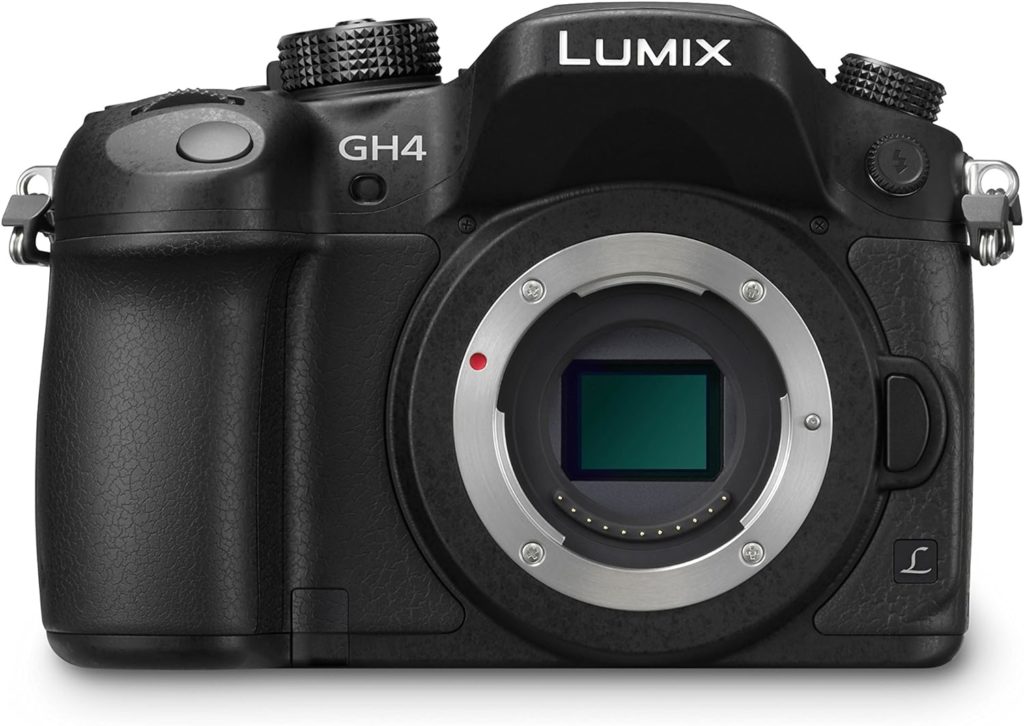
Panasonic Lumix GH4
- Resolution: 4K (4096 x 2160) at 24p, UHD 4K (3840 x 2160) at 30p/24p
- Sensor: 16.05MP Digital Live MOS
- Lens Mount: Micro Four Thirds
- ISO Range: Up to 25600
- Features: Compact body, rugged build, Wi-Fi and NFC for wireless control, various frame rates, slow-motion capabilities in 1080p.
Why I Use It: The Panasonic Lumix GH4 is a workhorse for professional videography. Its ability to shoot in true DCI 4K makes it ideal for cinematic projects where frame accuracy is crucial. The camera’s compact size and sturdy build make it easy to handle in diverse environments, from tightly packed indoor setups to outdoor shoots. The GH4 also provides an extensive range of compatible lenses, which allows me to tailor my setup to each project’s needs, whether I’m going for a wide-angle shot or a shallow depth of field.
How It Benefits My Work: This camera is my choice for controlled environments where I can focus on crafting precise, high-quality shots. Its 4K capabilities allow me to produce professional-grade videos with excellent color depth and dynamic range, making it suitable for client work that demands a polished, cinematic feel. The flexibility in lens options enhances creative control, enabling me to deliver a variety of styles within a single project.
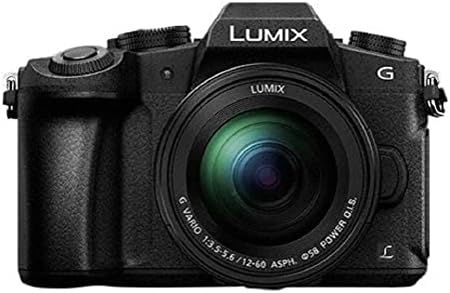
Panasonic Lumix G81
- Resolution: 4K (3840 x 2160) at 30p
- Sensor: 16MP Live MOS
- Lens Mount: Micro Four Thirds
- Stabilization: 5-Axis In-Body Image Stabilization (Dual I.S. 2)
- ISO Range: Up to 25600
- Features: Weather-sealed body, tilting touchscreen, Wi-Fi connectivity, easy-to-use menu system.
Why I Use It: The Lumix G81 is my go-to for handheld shooting, thanks to its 5-axis in-body image stabilization. This feature allows me to capture smooth footage without needing extensive stabilization gear, making it ideal for dynamic shoots or run-and-gun scenarios. The weather-sealed design also means I can rely on it in outdoor settings or unpredictable weather conditions, allowing me to shoot freely without worrying about damaging the camera.
How It Benefits My Work: The G81’s stabilization and portability make it invaluable for projects that require mobility, such as event coverage, travel videos, and documentary-style work. The 4K resolution ensures the footage remains sharp and professional-looking, while the stabilization helps create smooth, natural-looking motion. It’s also a fantastic backup camera that I can rely on to match the quality of my primary setup when needed.
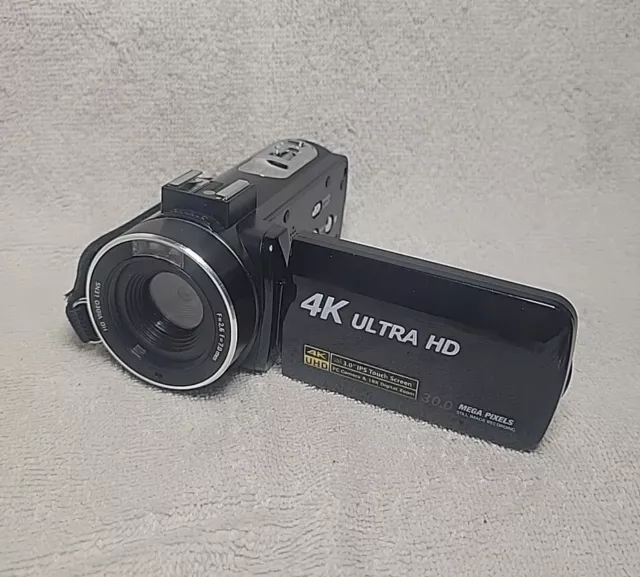
DVC 534KM
- Resolution: 4K (2880 x 2160) at 24fps
- File Format: JPEG, MP4
- Digital Zoom: 16X
- Exposure Compensation: -2.0 to +2.0
- White Balance: Automatic, Daylight, Cloudy, Fluorescent, Tungsten
- Screen: 3.0-inch capacitive touchscreen
- Other Features: USB 2.0, MIC input, rechargeable lithium battery, multiple language support.
Why I Use It: The DVC 534KM is a practical tool for training purposes and capturing additional footage. Its straightforward functionality and range of settings make it easy for beginners to handle, so when I’m working with trainees or assistants, I can rely on this camera to provide extra coverage. The camera is durable and budget-friendly, which means I can use it in situations where there’s a higher risk of wear and tear without worrying about costly damage.
How It Benefits My Work: This camera is a great secondary device for capturing supplementary footage, which can add valuable variety to a project. Extra shots from the DVC 534KM provide additional angles and perspectives, which is always beneficial in post-production. For training purposes, it’s ideal because it allows team members to learn on a device with 4K capabilities, familiarizing themselves with exposure settings, white balance, and framing without risking higher-end equipment. It’s a reliable and flexible option for capturing spontaneous moments and for hands-on learning experiences in videography.
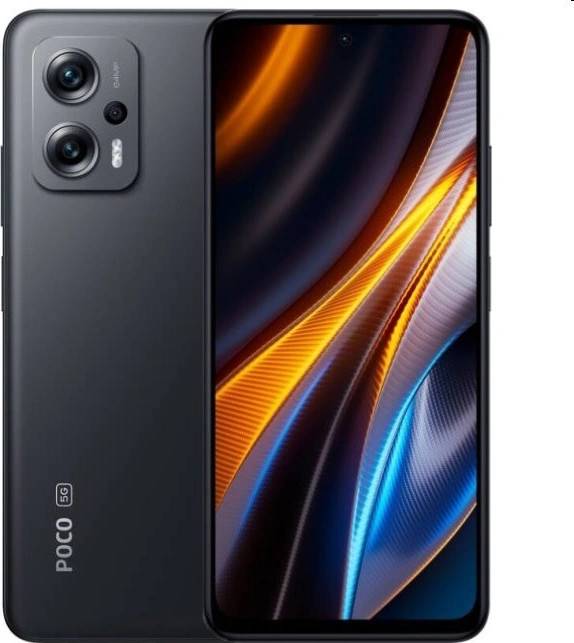
Xiaomi Poco X4
- Resolution: 4K (3840 x 2160) at 30fps
- Camera Sensor: 64MP primary sensor
- Aperture: f/1.8
- Battery: 5160mAh with 33W fast charging
- Key Features: AI camera capabilities, HDR support, robust battery life for long shoots.
Why I Use It: The Xiaomi Poco X4’s 4K capabilities, paired with its 64MP sensor, provide excellent image clarity and color depth, making it a reliable choice for quick, high-quality video captures. It’s an effective tool for projects that require mobility and ease of use without the complexity of a full camera rig. The AI enhancements assist in creating dynamic footage, even in tricky lighting, which is particularly useful in documentary-style work and social media content creation.
How It Benefits My Work: The Poco X4 offers flexibility for situations where I need professional-grade 4K footage on the go. It’s lightweight and powerful, making it suitable for capturing candid moments, behind-the-scenes footage, or supplementary shots without requiring additional equipment. Its long battery life also ensures I can shoot extended sessions without interruption, which is invaluable for event coverage and travel content.
1080pi (HD) Resolution
These HD devices provide a more classic look and are ideal for projects where 1080p resolution is sufficient or where a more vintage or stylistic approach is desired. They are reliable for capturing high-quality footage with manageable file sizes, making them practical for a variety of applications.
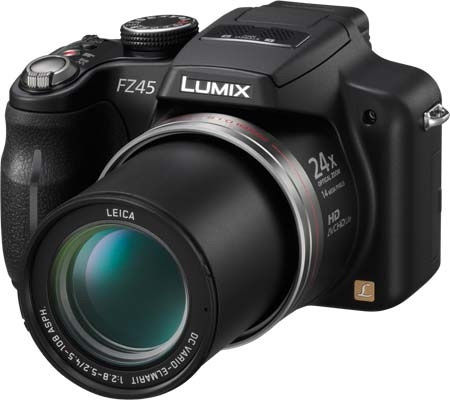
Panasonic Lumix FZ45
- Resolution: 1080p HD
- Sensor: 14.1MP CCD
- Optical Zoom: 24x Leica DC Vario-Elmarit lens
- Features: Manual control options, high zoom range, Power O.I.S. stabilization, intelligent auto mode.
Why I Use It: The Lumix FZ45’s high zoom range and stabilization make it a versatile choice for capturing distant subjects without sacrificing quality. I use it primarily for documentary-style footage and event coverage, where I might need to capture a subject discreetly from a distance. The manual controls provide flexibility in adjusting exposure and focus, giving me more creative control than a typical camcorder.
How It Benefits My Work: This camera’s long zoom and stabilization allow for smooth and steady shots, making it perfect for capturing live events or nature scenes. It complements my 4K devices as a secondary camera for recording additional angles or capturing b-roll footage. Its 1080p resolution ensures quality output, and the Power O.I.S. helps keep the footage stable, even when zoomed in, which is particularly helpful in dynamic shooting environments.
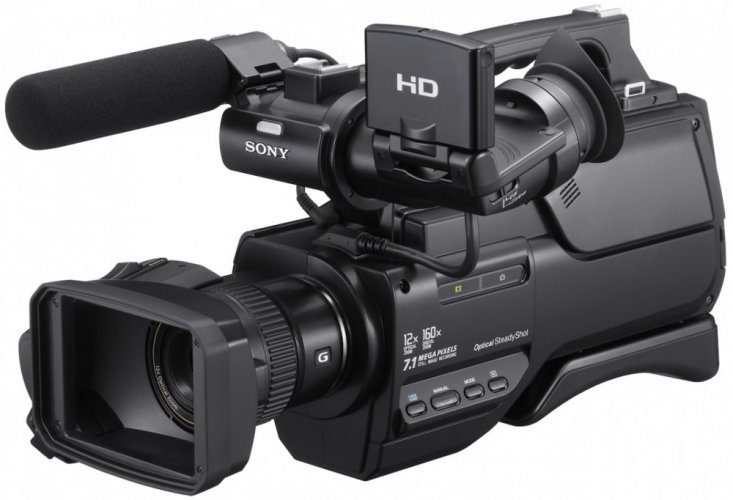
Sony HXR-MC2000E
- Resolution: 1080i HD (1920 x 1080)
- Sensor: 1/4″ Exmor R CMOS
- Optical Zoom: 12x with G Lens
- Storage: 64GB internal flash memory, with support for additional SD/SDHC cards
- Features: Optical SteadyShot image stabilization, shoulder-mount form factor, professional audio inputs (XLR), extensive manual control options.
Why I Use It: The Sony HXR-MC2000E is a reliable shoulder-mounted camcorder with professional features that make it ideal for event coverage, interviews, and documentary work. Its 1080i HD resolution, combined with the 12x G Lens, provides clear and sharp imagery, while the shoulder-mount design offers stability for extended handheld shooting. The built-in 64GB memory ensures that I can capture long sessions without interruption, and the XLR audio inputs allow for high-quality audio recording, which is essential for professional videography.
How It Benefits My Work: This camera is particularly valuable for projects that require consistent, stable shooting over extended periods. I often use it for live events, presentations, or interviews where a steady shoulder-mounted setup is beneficial. Its Optical SteadyShot technology ensures smooth footage, and the professional-grade audio inputs mean I can capture clear audio directly, reducing the need for post-production adjustments. The MC2000E’s robust build and ease of use make it a reliable choice when I need dependable, uninterrupted recording for longer projects.
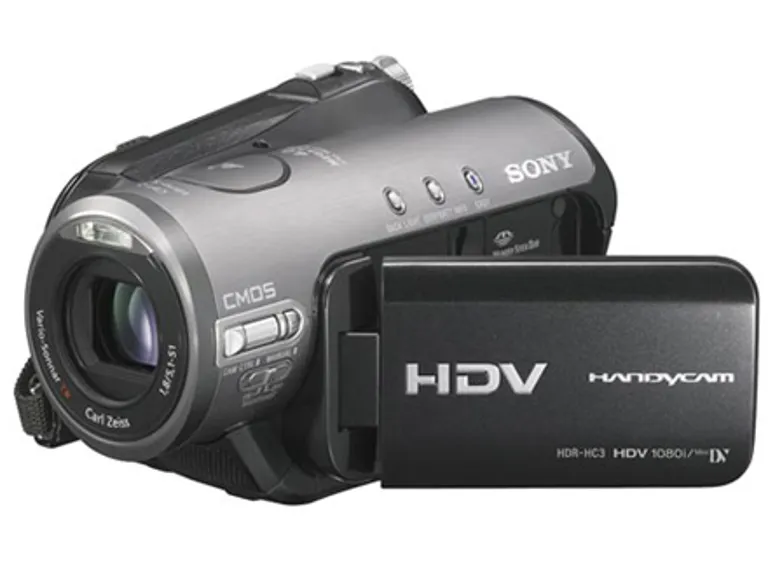
Sony HDR-HC3E
- Resolution: 1080i HD
- Sensor: 3MP CMOS
- Lens: Carl Zeiss Vario-Tessar
- Features: MiniDV format, compact and lightweight design, touchscreen interface, night-shot mode for low-light video.
Why I Use It: The Sony HDR-HC3E is a dependable HD camcorder with a distinctive look and feel due to its MiniDV format. I use it when I want to capture footage with a nostalgic, almost vintage aesthetic. The Carl Zeiss Vario-Tessar lens provides a crisp image quality within the 1080p range, and its small, handheld design makes it easy to work with, especially for quick, informal shoots or when I want a different perspective.
How It Benefits My Work: This camera is excellent for adding a retro or stylized touch to projects. The 1080i HD resolution fits well for supplementary footage in a multi-camera setup, offering an alternative angle or feel to the primary 4K or 8K footage. The night-shot mode allows me to capture low-light scenes creatively, and the compact form means I can use it in a pinch without too much setup.
Standard Definition (SD) and Analog Cameras
These SD and analog cameras have unique qualities that make them valuable in my workflow. The CCD sensors in these models provide superior color accuracy and low-light performance compared to CMOS sensors. To make the most of these qualities, I run them through a RetroScaler 5X for hardware upscaling to 1080p. This allows me to capture rich, detailed footage in high definition using capture cards like the Avermedia LGPLite, Live Gamer HD, or 4K. Alternatively, I may choose to capture directly to tapes at their native resolution for an authentic, vintage look.
Why I Use This Setup
The CCD sensors in these vintage cameras are a significant reason why I rely on this workflow. CCD technology offers superior color accuracy, low-light sensitivity, and reduced noise compared to CMOS sensors, especially in standard-definition cameras. These qualities bring a unique, vibrant depth to the footage that’s difficult to replicate with modern equipment.
To make the most of these benefits, I run the video signal from each camera through a RetroScaler 5X using either Component or S-Video cables. This setup allows for hardware upscaling from SD to 1080p, preserving the rich color and smooth gradients provided by CCD sensors while adding the clarity needed for modern screens. Upscaling with the RetroScaler 5X enhances the detail and brings out subtleties in texture and color that might be lost in direct SD output.
The upscaled 1080p footage is then captured with Avermedia LGPLite, Live Gamer HD, or 4K capture cards. This allows me to record directly to a drive, capturing uncompressed, high-quality footage. This setup ensures that I retain the original qualities of the CCD footage while making it accessible and usable in a modern editing workflow, giving me the best of both worlds: vintage aesthetic with high-definition clarity.
Why I Sometimes Capture in Native Resolution
At times, I opt to record footage directly to tapes in the camera’s native resolution. There’s a distinct authenticity to capturing in SD that isn’t always retained in the upscaled output. Recording in native resolution preserves the raw, unaltered qualities of the footage, including the natural grain and warmth that these cameras produce. For projects where I want to achieve a more nostalgic or true-to-era feel, capturing directly to tape maintains the integrity of that look.
This flexibility in my setup—between upscaled 1080p capture and native SD tape recording—allows me to tailor the workflow to each project. If the goal is high-definition clarity with vintage charm, I use the upscaling setup. For projects that benefit from an untouched, retro aesthetic, native resolution recording delivers the desired authenticity.
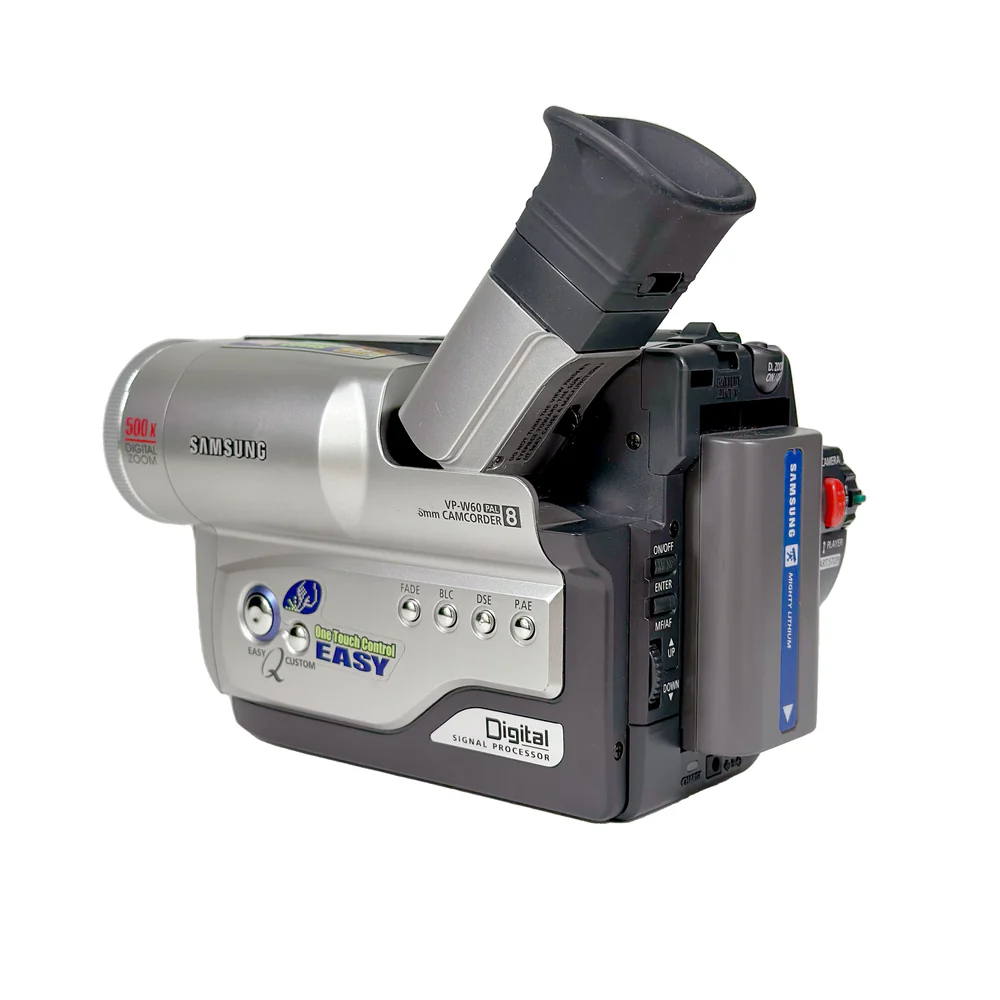
Samsung VP-W60
- Video Resolution: 720 x 576 pixels (PAL)
- Photo Resolution: Not applicable
- Media: Video8 tape
- Features: Compact design, analog output via S-Video or composite cables.
Why I Use It: The Samsung VP-W60 is a straightforward Video8 camcorder that provides a distinctive, nostalgic video quality. Its CCD sensor delivers richer colors and smoother gradients than modern CMOS alternatives. When connected to the RetroScaler 5X, I can upscale the footage to 1080p, preserving the unique character of the original analog signal while making it suitable for modern projects.
How It Benefits My Workflow: Upscaling through the RetroScaler 5X lets me capture 1080p versions of footage directly to a drive, preserving the retro look with enhanced clarity. For more authentic retro projects, I sometimes record straight to tape in its native resolution, capturing that vintage feel without any upscaling, which is ideal for recreating a classic home-movie aesthetic.
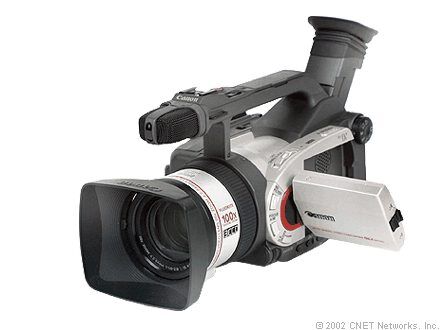
Canon DM-GL1A
- Video Resolution: 720 x 480 pixels (NTSC)
- Photo Resolution: 1.7 megapixels (1488 x 1128 pixels)
- Media: MiniDV tape
- Features: Optical image stabilization, versatile manual controls, accessory hot shoe.
Why I Use It: The Canon DM-GL1A is a versatile MiniDV camcorder known for its high-quality SD footage. Its CCD sensor ensures excellent color reproduction and low noise, even in challenging lighting conditions. The upscaling setup allows me to capture the Canon’s footage in 1080p for projects that need that CCD look with higher clarity.
How It Benefits My Workflow: This camera provides a solid mix of manual control and quality, making it valuable for various shooting styles. The RetroScaler 5X lets me upscale to 1080p, preserving the texture and authenticity of MiniDV. When I want to capture the raw look of SD, I record directly to MiniDV tape, which provides a timeless, vintage feel perfect for retro-styled projects.
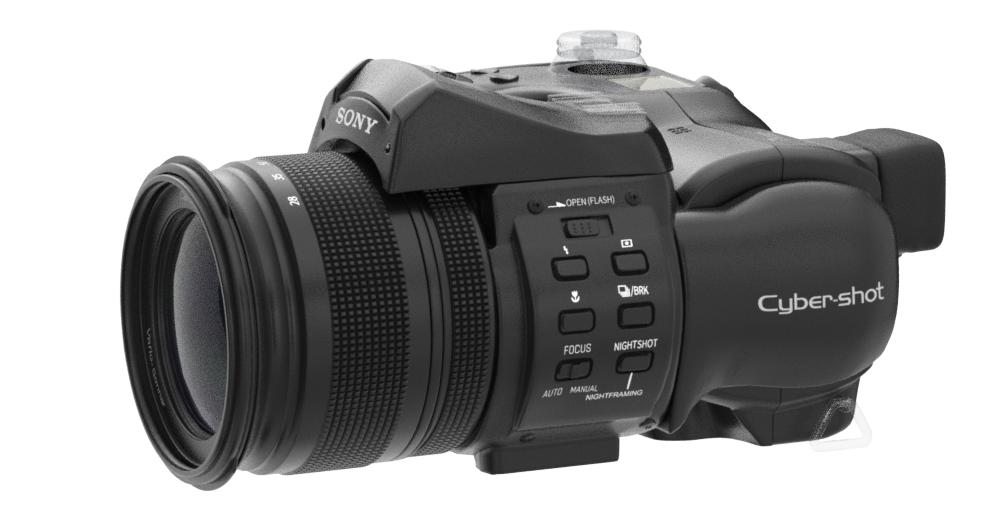
Sony DSC-F828
- Video Resolution: 640 x 480 pixels at 30 fps (VGA), though primarily used for photos.
- Photo Resolution: 8 megapixels (3264 x 2448 pixels)
- Media: Memory Stick Pro and Compact Flash
- Features: Carl Zeiss lens with 7x optical zoom, wide ISO range, robust build quality.
Why I Use It: The Sony DSC-F828 is a high-resolution still camera, and I primarily use it for photography rather than video. Its 8MP CCD sensor delivers excellent color reproduction and detail, ideal for capturing richly textured, vibrant images. The Zeiss lens and zoom capabilities make it versatile for various photography styles, from portraits to landscapes.
How It Benefits My Workflow: As a dedicated photography tool, the DSC-F828 provides high-quality images with the characteristic warmth and depth of CCD sensors. It’s a reliable choice for projects that require high-resolution stills with a unique, classic digital look. Since it doesn’t have S-Video or Component output, I keep it exclusively for capturing photos rather than integrating it into my upscaling setup
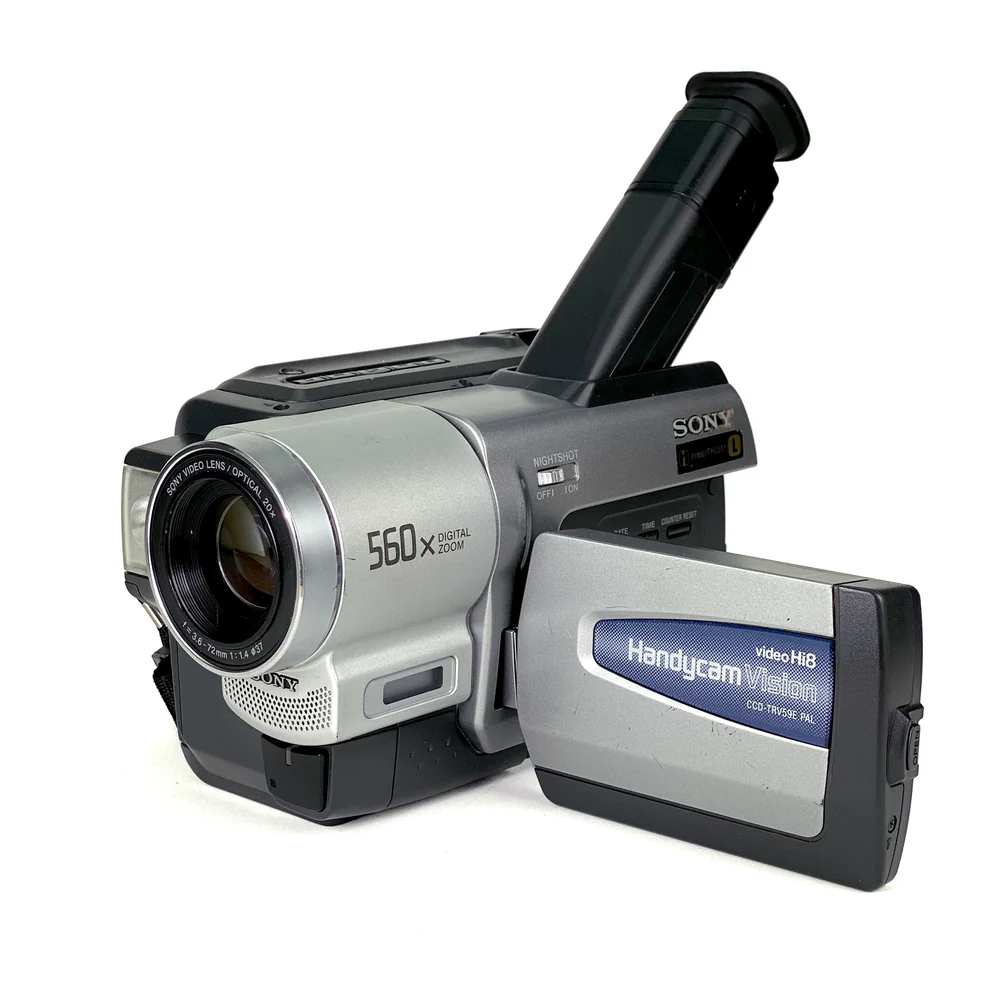
Sony CCD-TRV78E
- Video Resolution: 720 x 576 pixels (PAL)
- Photo Resolution: 640 x 480 pixels
- Media: Hi8 analog tape
- Features: NightShot mode, basic manual adjustments.
Why I Use It: The Sony CCD-TRV78E’s Hi8 format produces a classic analog look that’s great for retro-themed projects. The CCD sensor captures more color depth and smoother gradients than CMOS alternatives, making it ideal for upscaling. Running this through the RetroScaler 5X, I get upscaled 1080p footage that maintains its vintage character.
How It Benefits My Workflow: With the RetroScaler 5X and Avermedia capture setup, I can record high-quality 1080p versions that retain the analog warmth of the original footage. For certain projects, I may opt to record directly to Hi8 tape to capture the full, unaltered analog experience, which adds authenticity to my retro content.
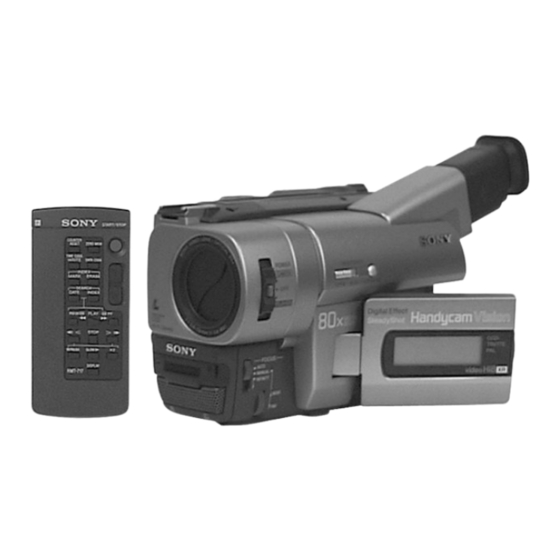
Sony CCD-TRV66E
- Video Resolution: 720 x 576 pixels (PAL)
- Photo Resolution: 640 x 480 pixels
- Media: Hi8 analog tape
- Features: Basic manual controls, CCD sensor quality.
Why I Use It: Like the TRV78E, the Sony CCD-TRV66E captures Hi8 footage with the unique warmth and texture of analog, thanks to its CCD sensor. When I upscale this to 1080p via the RetroScaler 5X, it provides an HD version of the analog footage, which is ideal for modern projects that still want a retro feel.
How It Benefits My Workflow: The CCD-TRV66E’s Hi8 format, combined with CCD quality, provides a distinct aesthetic that’s great for vintage-inspired projects. The option to capture natively on Hi8 tape lets me preserve the raw look, while the 1080p upscaled capture allows for versatile use in higher-definition formats, giving me flexibility across different styles.
Camera Accessories
In addition to my primary cameras, I rely on a range of accessories to support, enhance, and adapt my equipment for various shooting environments. These tools help me achieve stability, control lighting, capture specific angles, and streamline my workflow, making each shoot more efficient and versatile.
A Dozen Lenses
What: A variety of lenses with different focal lengths and specialties.
Why: Provides creative control over framing, depth of field, and style, allowing me to adapt to any shooting requirement.
SmallRig Camera Mount
What: A sturdy mounting system that attaches to my camera setup.
Why: Provides extra stability and flexibility, particularly useful for handheld shots and complex setups.
DJI Osmo Mobile 3
What: A 3-axis handheld gimbal stabilizer designed for smartphones.
Why: Ensures smooth, steady footage when using my Xiaomi 10T for motion-heavy shots, ideal for capturing action sequences.
5 Tripods
What: Heavy-duty and lightweight tripods for various camera setups.
Why: Essential for stable, professional framing across multiple angles, especially in multi-camera shoots.
8 Softbox Continuous Lights with Mounts
What: Softbox lights for even, diffused lighting in studio setups.
Why: Allows me to control lighting quality and reduce shadows, creating a polished, studio-grade look.
Portable Green Screen and Blue Screen
What: Portable chroma key screens for green and blue backgrounds.
Why: Enables easy background replacement in post-production, giving flexibility in creating dynamic and custom environments.
