
To meet the demands of professional video production, I use a versatile and powerful collection of hardware. This Editing Hardware section is organized into three parts: Windows Systems, Macintosh Systems, and Physical Equipment. Each category contains purpose-built tools that help optimize performance, enhance workflow, and adapt to the specific needs of each project. My Windows and Macintosh systems provide diverse platforms for editing, rendering, and storage, while physical equipment, from capture cards to specialized peripherals, supports seamless integration and adaptability on set or in the studio. Together, these systems allow me to tackle complex projects efficiently and ensure top-quality results.
Windows Systems
My Windows systems are tailored to handle a range of video production needs, from real-time 4K and 8K editing to large-scale rendering and data storage. Each system is optimized for specific tasks, allowing me to seamlessly manage complex projects. Here’s a breakdown of each setup, ordered by performance score.
System 1: Intel Xeon E5-2698 v4 – Performance Score: 59,000
This powerhouse system, equipped with the Intel Xeon E5-2698 v4 processor, is built for the heaviest workloads. With 20 cores and 40 threads, this setup handles intense multi-threaded tasks and excels in rendering large projects. Its 64GB of RAM ensures smooth multitasking, allowing for complex workflows and large file management without slowing down.
Supporting this processing power is the NVIDIA GeForce RTX 3090 Ti OC, which offers exceptional performance for real-time 4K and 8K video playback and rendering. For storage, this system combines a massive 50TB of Seagate HDD capacity with two Kingston KC3000 2TB NVMe SSDs, giving both vast archival space and rapid access to active files. Equipped with an Avermedia 4K capture card, HD DVD/Bluray combo burner, and Panasonic BDXL burner, this setup is ideal for direct-to-drive recording, high-capacity data storage, and efficient disc burning for final deliverables.
System 2: AMD Ryzen Threadripper 1950X – Performance Score: 56,800
Built around the AMD Ryzen Threadripper 1950X processor, this system leverages its 16 cores and 32 threads to tackle heavy editing tasks and multitasking with ease. The 32GB of RAM keeps high-demand processes running smoothly, making it suitable for workflows that involve large files and multiple applications.
An NVIDIA GeForce 4060 OC graphics card adds robust rendering capability, making this setup well-suited for high-resolution projects. Storage is handled by a 2TB Samsung 990 PRO M.2 NVMe SSD, providing quick access to frequently used files, and dual 16TB Seagate HDDs for substantial project storage. With an Avermedia HD capture card, this system is ideal for live capture and recording, making it perfect for high-definition editing and streaming.
System 3: AMD Ryzen 9 3900X – Performance Score: 54,400
Powered by the 12-core AMD Ryzen 9 3900X, this system is designed to deliver excellent multi-threaded performance for rendering and editing. With 32GB of RAM, it comfortably handles demanding editing and processing tasks without bottlenecks, allowing for fluid multitasking in complex projects.
The NVIDIA GeForce RTX 2070 graphics card supports smooth 4K playback and reliable rendering, making this system versatile for both high-resolution projects and real-time editing. It is supported by a Kingston SA400S3S SSD, an Avermedia Live Gamer 4K capture card, and a SoundBlasterX AE-5 sound card, creating an efficient setup for high-definition video production, streaming, and audio control.
System 4: Intel Xeon E5-2670 v3 – Performance Score: 51,000
This system, built with the Intel Xeon E5-2670 v3 processor, balances strong processing power with efficient multi-threading, making it suitable for moderately complex editing tasks. Equipped with 16GB of RAM, it’s designed for stable, reliable performance across multiple processes.
A 2TB Samsung 980 SSD provides fast read/write speeds for active projects, while the NVIDIA GeForce 2080 Ti ensures solid 4K video rendering and playback capabilities. An Avermedia Live Gamer HD capture card rounds out the setup, providing direct capture functionality for both video production and streaming needs.
System 5: AMD Ryzen 7 5700 – Performance Score: 46,000
The Ryzen 7 5700 processor powers this system, delivering reliable multi-core performance for editing and processing. With 16GB of RAM, this setup handles mid-level editing projects smoothly and efficiently.
Its Radeon RX 580 graphics card is optimized for moderate rendering tasks, supporting up to 4K projects effectively. With a 2TB Samsung 970 SSD, this system benefits from quick data access, while the Avermedia Live Gamer HD Lite ensures smooth video capture, making it suitable for less demanding video production tasks.
System 6: Intel Xeon E5-2678 – Performance Score: 45,100
This setup, centered on the Intel Xeon E5-2678 processor, is designed for stable performance in moderate workloads. With 128GB of RAM, this system is geared toward data-heavy editing and multitasking, making it ideal for running larger applications and handling multiple projects.
The Intel Arc 770 OC graphics card provides reliable rendering for 1080p and some 4K editing, while the Kingston KC3000 NVMe SSD enhances loading and transfer speeds. The Avermedia HD capture card allows for HD video capture and direct recording, making this system a strong option for reliable, moderate video production needs.
System 7: Threadripper 1920x – Performance Score: 34,800
This system uses the AMD Ryzen Threadripper 1920x processor, a 12-core CPU suited for moderate editing and multitasking. With 32GB of RAM, it efficiently handles projects that require less intensive processing.
A Radeon RX 5700 graphics card provides capable rendering for 4K video projects, and the dual-storage setup, with a 2TB Intel NVMe SSD and a 4TB FireCuda Hybrid Drive, ensures ample space and rapid access to files. This setup is ideal for projects with moderate processing demands and provides balanced performance for general editing tasks.
System 8: HP Laptop (Intel i5-1035G1) – Performance Score: 21,100
The HP laptop with an Intel i5-1035G1 processor is a more portable option, primarily used for lighter editing tasks or on-the-go work. With 8GB of RAM, it’s best suited for basic video editing, project review, and remote work where portability is key.
It features a 2TB Samsung 970 NVMe SSD, providing quick storage access, and includes an Avermedia LGP Lite capture card for basic HD capture and streaming. While not as powerful as the desktop systems, it’s an essential part of my setup for lightweight editing and remote tasks.

Macintosh Systems
My Macintosh Systems provide essential support for disc authoring, video conversion, and 1080p editing, running Final Cut Studio 2, Compressor, and DVD Studio Pro. Unlike newer M1 Macs, these PowerPC and Intel systems are designed specifically to handle legacy Mac editing workflows, complete with optical drives and Qmaster support for distributed rendering.
By leveraging Apple Qmaster, I can share rendering tasks across my network of Macs, maximizing efficiency and reducing overall render time for H.264 encoding in Compressor. Together, these systems achieve an estimated network render speed of approximately 42–50 fps, allowing me to tackle complex projects more efficiently and with greater speed. Here’s a breakdown of each system’s specifications, individual fps performance, and role within the networked setup.
Power Mac G5 (A1177)
This Power Mac G5, powered by dual 2.5GHz PowerPC G5 processors, achieves an estimated 10–12 fps for standalone 1080p H.264 rendering. Equipped with 8GB of RAM and an NVIDIA GeForce 6800 Ultra DDL graphics card, this system is optimized for native Final Cut Studio workflows on Mac OS X 10.5.8. The PowerPC architecture avoids the limitations of Rosetta, making it ideal for running Final Cut Studio efficiently. Its performance makes it the central node in my Qmaster network, accelerating rendering speeds for complex editing and conversion tasks in Compressor.
Power Mac G5 (PowerMac 7,3)
With dual 2.0GHz PowerPC G5 processors and 2GB of RAM, this Power Mac G5 provides an estimated 8–10 fps in standalone 1080p H.264 encoding. Paired with an ATI Radeon 9600 XT graphics card and a 1680×1050 Apple Cinema Display, this setup is optimized for disc authoring and video conversion on Mac OS X 10.5.8. The 2TB Samsung SSD boosts data handling, while its native PowerPC support allows it to seamlessly join Qmaster, adding consistent encoding power to the network and helping distribute the rendering load efficiently.
iMac 10,1
This iMac 10,1 is equipped with a 3.06GHz Intel Core 2 Duo processor and 8GB of RAM, delivering an estimated 6–8 fps for 1080p H.264 encoding on its own. Running Final Cut Studio under Rosetta, it performs well for 1080p editing and DVD authoring, with support from an NVIDIA GeForce 9800 graphics card and a 1080p display. An 8TB G-Tech G-RAID on FireWire offers additional storage for large media files, making this setup efficient for extended projects. Integrated with Qmaster, this iMac provides reliable rendering support, contributing to a faster network encoding rate.
MacBook Pro (A1229)
The MacBook Pro A1229 runs on a 2.4GHz Intel Core 2 Duo processor with 6GB of RAM, achieving approximately 5–6 fps for standalone 1080p H.264 encoding. This system is tailored for portability, with a 512GB SSD that supports HD-DVD authoring and 1080p editing in Final Cut Studio under Rosetta. Running Mac OS X 10.5.8, it connects to Qmaster to assist in network rendering, allowing it to play a valuable role in offloading tasks and balancing the workload across the system.
MacBook Pro 9,5
This MacBook Pro 9,5 features a 2.26GHz Intel Core 2 Duo processor and 8GB of RAM, with an estimated 4–5 fps for standalone H.264 encoding. Its NVIDIA GeForce 9400M graphics card and 2TB Samsung SSD support mid-level 1080p editing and DVD creation, making it suitable for distributed rendering in Qmaster. Despite running in emulation, this system provides dependable network support, sharing rendering tasks across Compressor and improving the overall efficiency of the render queue.
Black MacBook (A1181)
Powered by a 2.16GHz Intel Core 2 Duo processor and 3GB of RAM, this Black MacBook A1181 achieves an estimated 3–4 fps in 1080p H.264 encoding. Its 512GB SSD and USB 3.1 upgrade enhance data handling speed, making it a reliable secondary system for conversion and DVD authoring tasks. Integrated into Qmaster, it adds additional frames per second to the distributed network, playing a crucial role in maintaining rendering efficiency across projects.
MacBook Pro (A1150)
This MacBook Pro A1150, with a 2.16GHz Intel Core Duo processor and 2GB of RAM, offers an estimated 3–4 fps for standalone H.264 encoding. While limited in standalone rendering speed, its 512GB SSD ensures efficient data access, making it a useful backup system for DVD authoring and video conversion. As a support node in Qmaster, this MacBook Pro contributes additional rendering power, improving network efficiency for H.264 encoding across complex workflows.
MacBook (A1342)
The MacBook A1342 features a 2.26GHz Intel Core 2 Duo processor and max RAM, delivering about 3–4 fps for standalone 1080p H.264 encoding. With a 1TB SSD, it handles basic conversion and DVD authoring tasks. Connected to Qmaster, it aids in distributed rendering, adding valuable processing support for Compressor tasks and helping to streamline overall project render times.
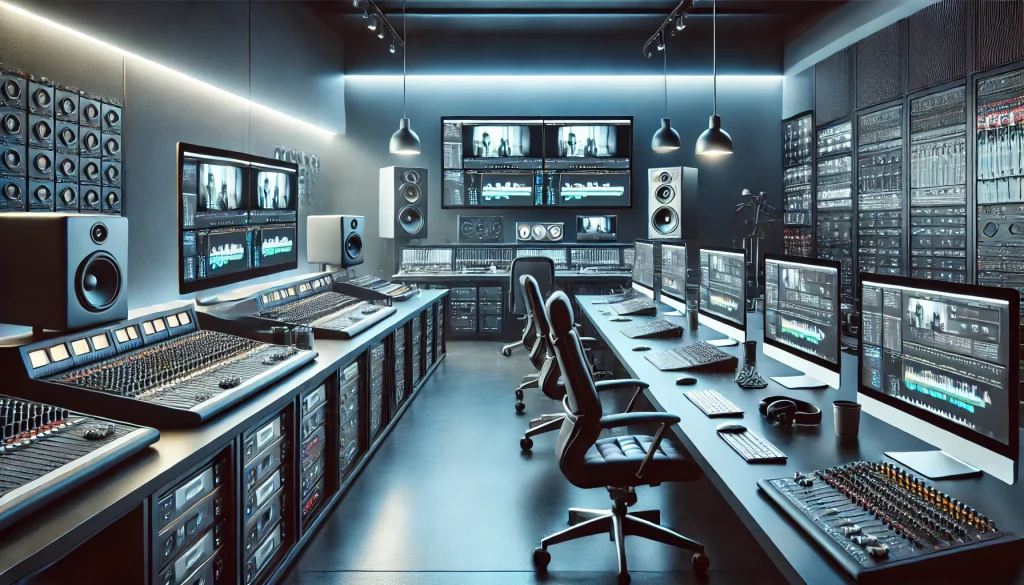
Physical Editing Hardware
To support a variety of video and audio tasks, I use specialized hardware that provides unique capabilities for video capture, conversion, audio mixing, and integration of legacy media formats. These tools help streamline workflows and ensure high-quality output, whether I’m working with digital files or analog sources.
Microsystem Casablanca Avio DVD
The Microsystem Casablanca Avio DVD is a standalone digital video editing system that offers a streamlined, efficient approach to video production without the need for a computer. Originally designed for consumer and semi-professional editing, this device is particularly valuable for legacy video projects due to its all-in-one setup, which includes editing, titling, transitions, and DVD authoring.
The Avio DVD’s built-in editing interface allows for intuitive timeline-based editing, making it possible to create professional cuts, add titles, and incorporate transitions without the complexity of traditional editing software. It’s especially useful for digitizing and enhancing older footage, as it allows real-time processing and quick output to DVD. With integrated DVD authoring capabilities, it also simplifies the process of creating high-quality DVDs directly from edited projects, saving time and preserving the fidelity of original media.
This system is an ideal choice for archival work, personal projects, and small-scale productions, where simplicity, speed, and reliability are essential. Its standalone nature reduces dependency on computer-based workflows, and the hardware-based processing ensures consistent quality even with older or degraded footage. The Avio DVD is an invaluable part of my setup for efficiently handling conversion tasks, archiving projects, and DVD production with minimal setup and maximum ease of use.
JVC Victor HM-DR10000
The JVC Victor HM-DR10000 is a D-VHS (Digital VHS) system that provides lossless, high-definition recording and playback capabilities. Unlike standard VHS, D-VHS preserves video quality and allows for HD recording up to 1080i, making it a unique tool for capturing and archiving video with exceptional clarity. This device supports a range of tape formats, including D-VHS, S-VHS, and standard VHS, allowing for compatibility across different media types.
With FireWire, component, and S-Video connections, the HM-DR10000 offers extensive connectivity options, making it adaptable to both analog and digital workflows. The FireWire connection allows direct digital transfer to a computer, maintaining video quality and simplifying integration with editing software. Additionally, the component outputs support high-definition playback on compatible displays, making it a versatile solution for both capture and viewing. For complex archival tasks, this D-VHS system’s flexibility in format and connectivity options makes it ideal, preserving legacy footage in high definition while ensuring compatibility with modern equipment.
Daewoo SD-6100
The Daewoo SD-6100 is a dual VHS/DVD recorder, enabling seamless conversion between analog and digital formats. This device allows VHS content to be transferred to DVD or vice versa, making it an efficient tool for digitizing older media while preserving quality. It’s especially useful when working with extensive analog archives, as it provides a simple, integrated method for converting content to a more accessible digital format.
JVC JX-SV77
The JVC JX-SV77 is an advanced video switcher and selector that allows multiple video sources to be connected, managed, and output from a single interface. With a variety of input and output options, including S-Video and composite connections, it provides seamless switching between feeds. This device is particularly useful in multi-camera setups or studio environments, where the ability to easily switch between sources enhances workflow and ensures smooth, consistent output during live or recorded sessions.
Alesis MultiMix USB FX
The Alesis MultiMix USB FX is a versatile audio mixer with both digital effects and USB connectivity. It supports multiple audio inputs, allowing for fine control over sound quality and balance. Its built-in digital effects, such as reverb and delay, add flexibility to audio production, making it ideal for live sound control and post-production audio enhancement. The USB connection allows direct recording to a computer, simplifying integration with digital workflows and providing a convenient way to capture high-quality audio for video projects.
XMG62
The XMG62 serves as an analog version of the Alesis MultiMix USB FX, providing robust audio mixing capabilities specifically for analog sources. This mixer allows for fine control over audio inputs, including balance and level adjustments, making it ideal for managing sound from multiple analog devices. It’s particularly useful for live recordings or scenarios where real-time audio adjustments are required, ensuring consistent quality across audio sources. The XMG62 enhances my setup by adding reliable, hands-on control over analog audio, making it a valuable tool for integrating legacy audio sources seamlessly.
V8s Sound Card
The V8s Sound Card is a compact, multifunctional sound interface that offers real-time audio effects and adjustments. With features such as voice modulation, pitch adjustment, and sound effects, it provides additional creative control for audio, especially useful in live streaming or real-time recording settings. This sound card enhances flexibility in audio production, allowing for quick adjustments and tailored sound profiles directly during recording.
